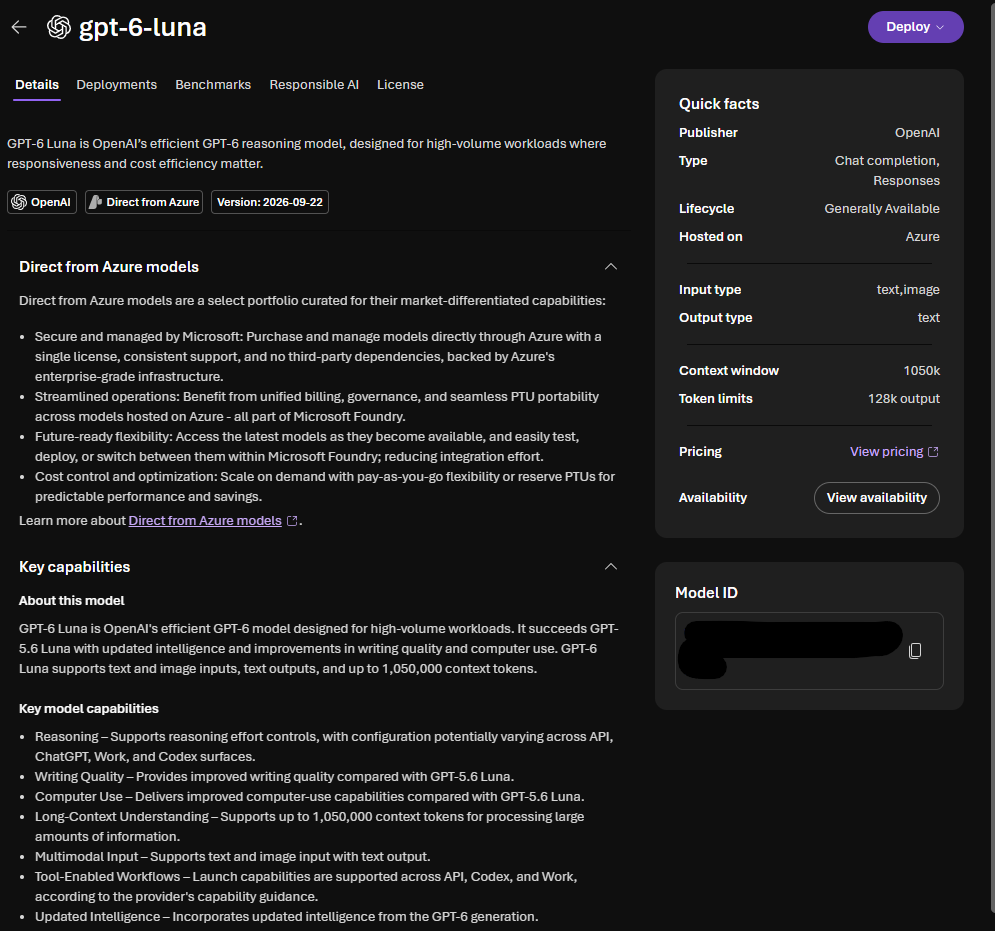
Microsoft Foundry has a model catalog that includes various model types
- Models sold directly by Azure: models hosted directly by Microsoft. High integration with Azure and SLAs / compliance
- Models from Partners and the Community: includes open-source or vendor-hosted models. They support broader experimentation and innovation.
Each model entry includes:
- description and capabilities
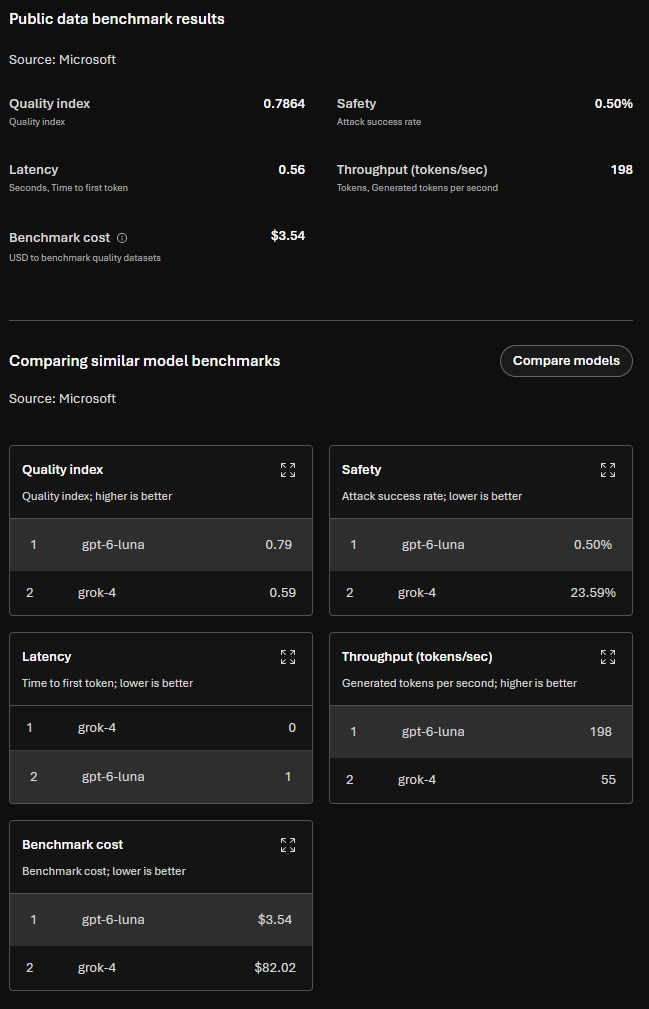
- Benchmark results and performance comparison against other models
- Supported inference tasks and fine-tuning options
- Responsible model AI documentation
LEARN THIS definition:
Foundation models are large, pretrained models that provide general language, reasoning or multimodal capabilities out of the box. These models can be deployed immediately or customized through fine-tuning, and serve as the base layer for building AI apps.
Evaluate models in Foundry
Foundry includes benchmarking results
You can also view
- Model leaderboards: ranked by quality, safety, throughput
- Comparison and filter: side by side by quality, accuracy, cost
To evaluate a model you can choose one > select benchmarks > try with your own data. Try prompts and see if the responses are as expected.
Deploy models in Foundry
When you deploy a model, you can assign it a Tokens per Minute (TMP) allocation. TPM determines the speed and scale at which the model can process inputs, such as Requests per Minute (RPM).
Limits differ by model family, for example:
- High-end reasoning models may have high TPM ceilings
- Specialized or image models operate under capacity units instead
Key configuration params
You can control
- Temperature: controla creativismo vs determinismo
- Max output tokens - caps response length
- System instructions - controla el rol, comportamiento, tono y guardarailes del modelo
Lightweight chat client (Foundry SDK)
# pip install openai>=1.3.0
# pip install azure-ai-projects azure-identity openai

import os
from openai import OpenAI

client = OpenAI(
    base_url=f"{os.environ['AZURE_OPENAI_ENDPOINT']}/openai",
    api_key=os.environ["AZURE_OPENAI_API_KEY"]
)

response = client.responses.create(
    model=os.environ["DEPLOYMENT_NAME"],          # e.g., "gpt-4o-mini"
    input=[{"role": "system", "content": "You're a helpful assistant."},
           {"role": "user", "content": "Summarize the key points from our release notes in 3 bullets."}],
    max_output_tokens=300,
    temperature=0.7
)

print(response.output_text)