We split speech in two capabilities:
- Speech recognition (speech-2-text)
- Speech synthesis (text-2-speech)
Speech recognition (speech-2-text)
Speech-to-text software includes multiple models
- An acoustic model that converts audio into phonemes
- A language model that maps phonemes to words
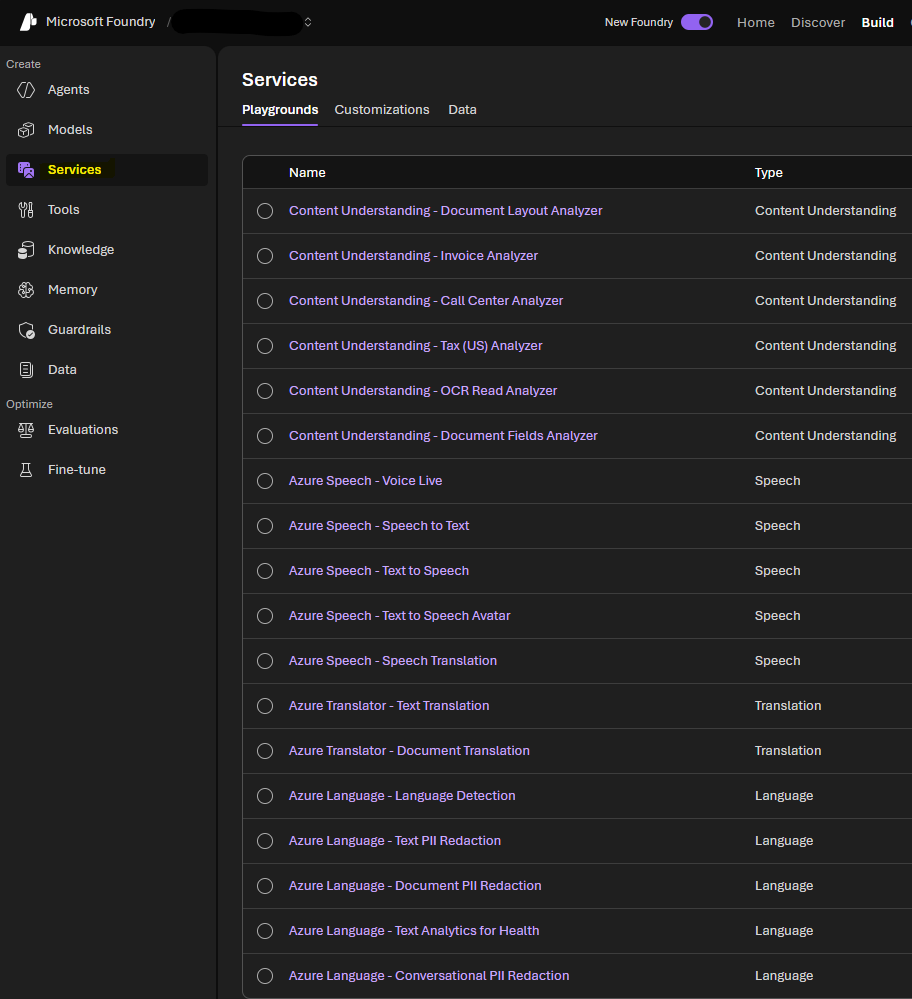
Go to Build > Services and there we can choose the one we want to use
Then if we open Speech-to-text, you can speak there and test the service
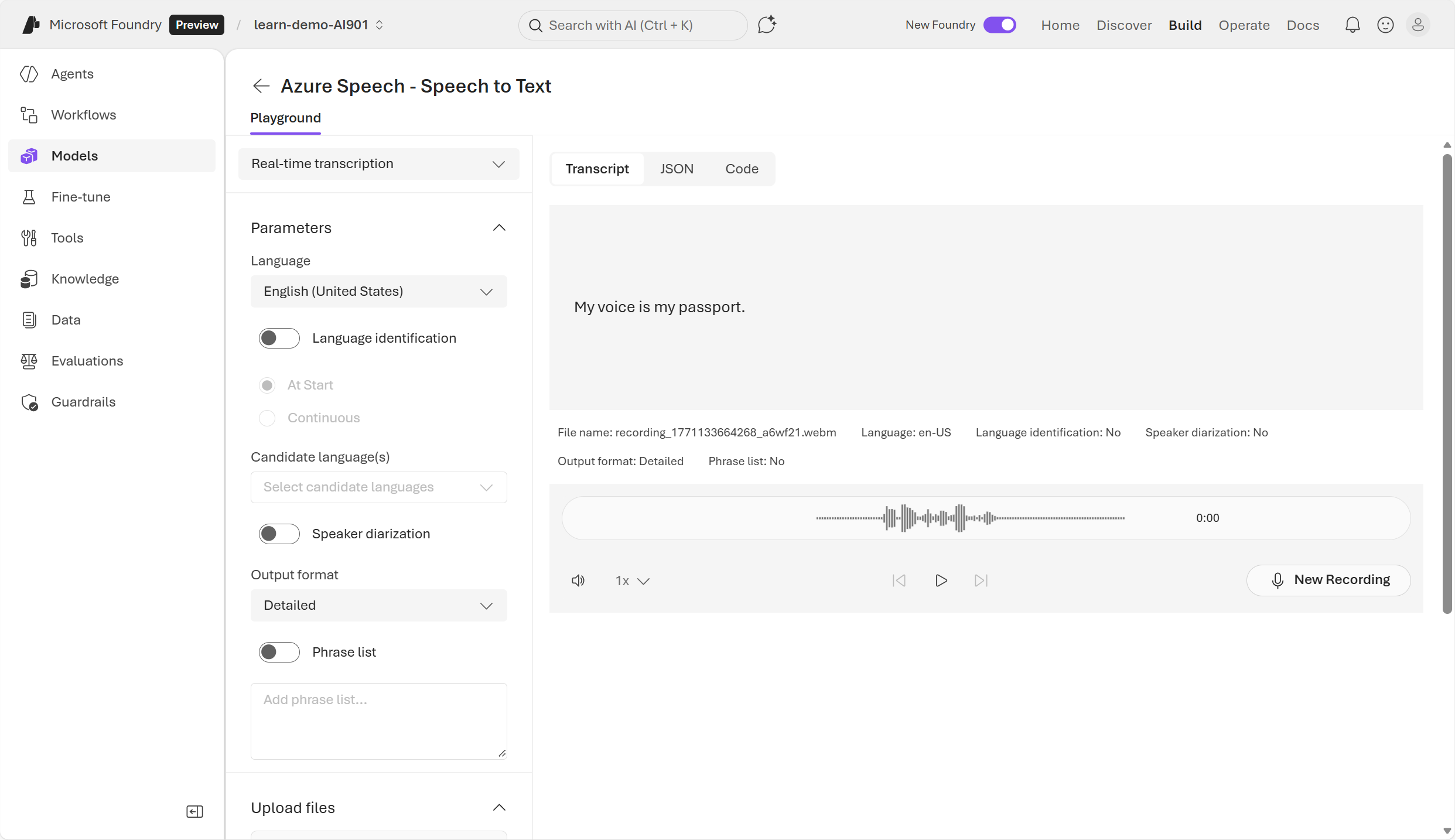
Azure speech-to-text SDK
It’s also possible to use it through the SDK for application’s usage.
Install the SDK
pip install azure-cognitiveservices-speech
App code
import azure.cognitiveservices.speech as speechsdk

# Set up the speech config using resource endpoint
endpoint_url = "ENDPOINT"
speech_key = "FOUNDRY_KEY"

speech_config = speechsdk.SpeechConfig(
    subscription=speech_key,
    endpoint=endpoint_url
)

# Create a recognizer with microphone input
audio_config = speechsdk.audio.AudioConfig(use_default_microphone=True)
speech_recognizer = speechsdk.SpeechRecognizer(
    speech_config=speech_config,
    audio_config=audio_config
)

# Event handlers
def recognized_handler(evt):
    print(f"Recognized: {evt.result.text}")

def recognizing_handler(evt):
    print(f"Recognizing: {evt.result.text}")

# Connect event handlers
speech_recognizer.recognized.connect(recognized_handler)
speech_recognizer.recognizing.connect(recognizing_handler)

# Start continuous recognition
speech_recognizer.start_continuous_recognition()
print("Say something...")

# Keep the program running
input("Press Enter to stop...")
speech_recognizer.stop_continuous_recognition()
When using the SDK it’s possible to perform real-time or batch transcription of audio which work as async jobs with audios you’ve saved.
Batches usually should be immediate but they work on a best-effort basis. Normally they start within minutes of the request but this is NOT guaranteed
Speech synthesis (text-2-speech)
A text-to-speech solution usually requires:
- the text to be spoken
- the voice to be used to vocalize the speech
To synthesize speech the system typically:
- Tokenizes the text to break it down into individual words
- Breaks the phonetic transcription into prosodic units (such as phrases, clauses or sentences)
- Creates phonemes from the prosodic units
- The phonemes are synthesized as audio and can be assigned a particular voice, speaking rate, pitch and volume
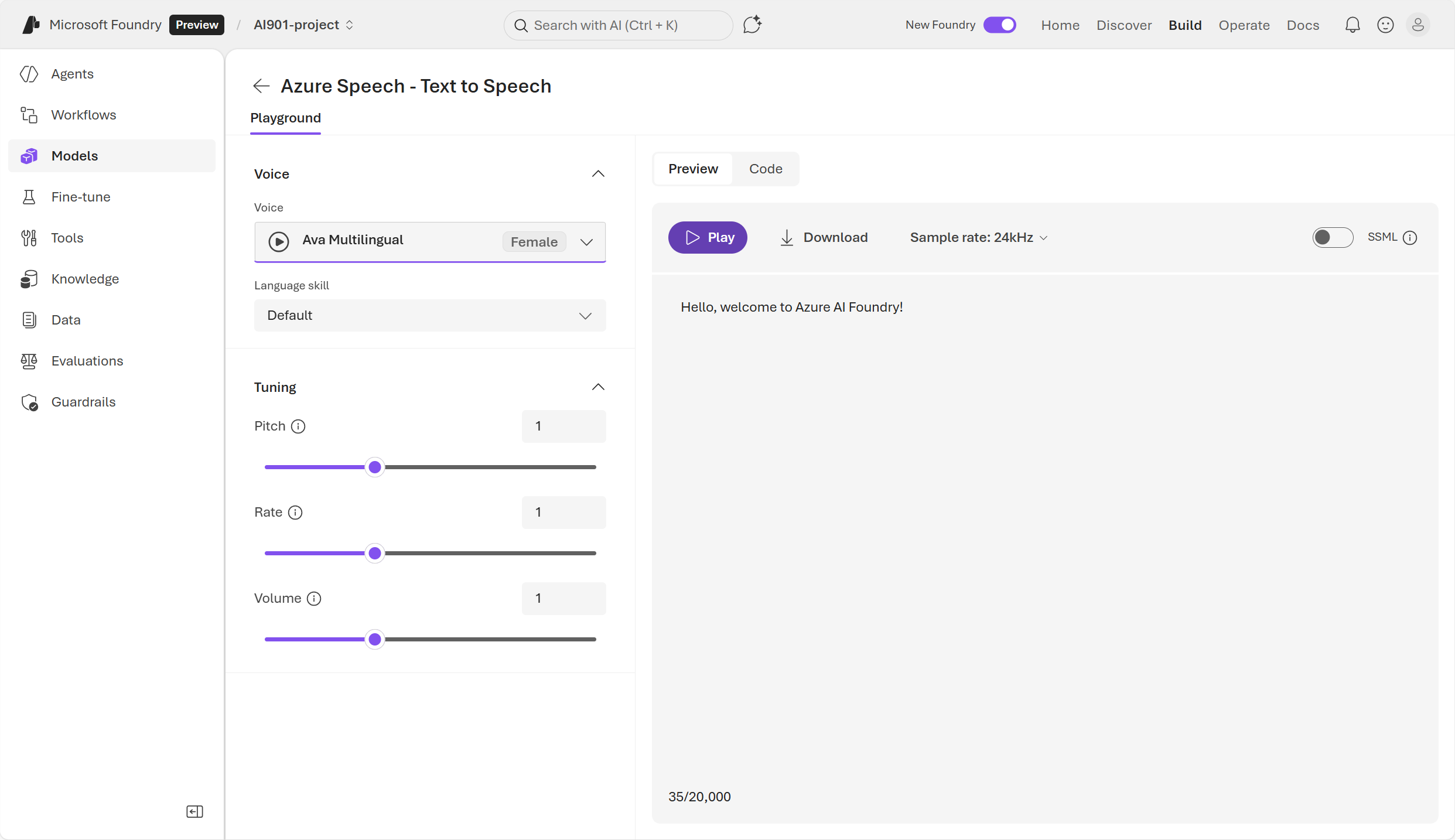
Azure text-to-speech SDK
code example
import os
import azure.cognitiveservices.speech as speechsdk

# This example requires environment variables named "FOUNDRY_KEY" and "ENDPOINT"
speech_config = speechsdk.SpeechConfig(subscription=os.environ.get('FOUNDRY_KEY'), endpoint=os.environ.get('ENDPOINT'))
audio_config = speechsdk.audio.AudioOutputConfig(use_default_speaker=True)

# The neural multilingual voice can speak different languages based on the input text.
speech_config.speech_synthesis_voice_name='en-US-Ava:DragonHDLatestNeural'

speech_synthesizer = speechsdk.SpeechSynthesizer(speech_config=speech_config, audio_config=audio_config)

# Get text from the console and synthesize to the default speaker.
print("Enter some text that you want to speak >")
text = input()

speech_synthesis_result = speech_synthesizer.speak_text_async(text).get()

if speech_synthesis_result.reason == speechsdk.ResultReason.SynthesizingAudioCompleted:
    print("Speech synthesized for text [{}]".format(text))
elif speech_synthesis_result.reason == speechsdk.ResultReason.Canceled:
    cancellation_details = speech_synthesis_result.cancellation_details
    print("Speech synthesis canceled: {}".format(cancellation_details.reason))
    if cancellation_details.reason == speechsdk.CancellationReason.Error:
        if cancellation_details.error_details:
            print("Error details: {}".format(cancellation_details.error_details))
            print("Did you set the speech resource key and endpoint values?")
Crear un agente speech-capable
Azure Speech incluye un VoiceLive Service el cual permite construir agentes conversacionales. Esta API permite tener conversaciones en tiempo real.
VoiceLive Service API reune todo para que el agente pueda escuchar y pueda responder.

Esto también se puede usar programáticamente mediante el SDK
pip install azure-ai-voicelive